Language learning apps still miss some key points of intuitiveness — story lists that don't remember where you've been, audio scrubbers disconnected from the text, no felt sense of where you are in a story.

Vakas was built around solving two types of problems that cause this.

Problems
Vakas.app Solves

Part one — Navigating Content

Part two — Getting Overwhelmed by the Text

Part one

Navigating Content

Discover · Basket · Pile

A list of stories doesn't remember anything.

You browse, you leave, you come back — the list looks the same as when you left. You don't know what you've already considered, which titles you saved in your head and forgot, or where the unread content still is. You end up making the same decisions over and over.

Vakas treats the library like a checkout system. Stories can be saved to your basket, checked out to your pile when you're ready to read, or marked as read when you're done. The list reflects where you actually are. The dot strip on the Browse page shows which pages still have unread stories — so you go where the value is, not where you've already been.
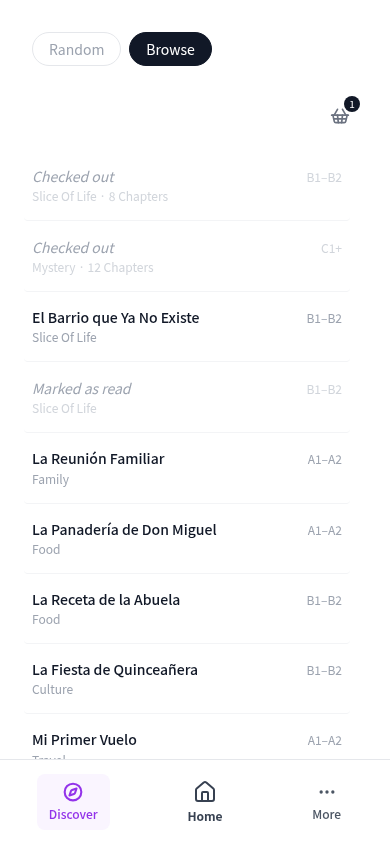
Browse page showing story states

SpineNav

Buttons are only directional, not spatial.

Not knowing where you are in a text is disorienting. Left and right arrows don't solve this — they tell you which way to move but give you no felt sense of position. A physical book does. You have a visual and tactile memory of where you are and where you've been — roughly how far in, which side of the spine. Buttons strip that out entirely.

SpineNav lays the pages out as a strip at the top of the reader. Your position is visible in space. To navigate, you tap where you want to go — not which direction to move. You're reaching for a position, the way you would with a book in your hands.
SpineNav page strip

Wave

Audio players are clunky to navigate while reading.

The standard audio scrubber is a timeline with no relationship to the text in front of you. To jump to a sentence, you drag a handle across a bar and hope you land somewhere close. Then you wait to hear where you ended up.

In Wave mode, the text is the audio player. Tap any word to play from that point. Tap again to pause. Navigation is exact because you're pointing at words, not a timeline.

Laelde,

comounay.

del,el

delala.

Reading authentic content in another language always surfaces unknowns. For beginners, there are many — enough to overwhelm. For more advanced learners, fewer — but one missing word can still break the thread.

Part two

Getting Overwhelmed by the Text

Core · Extended · Full

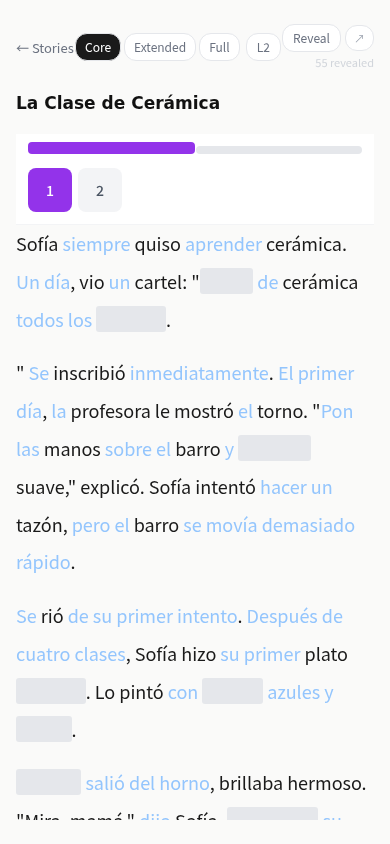
You don't know which words to pursue first.

A page of foreign text is overwhelming not because every word is hard, but because there's no signal about where to focus. Everything looks equally urgent. You end up spreading attention across the whole surface and making progress on none of it.

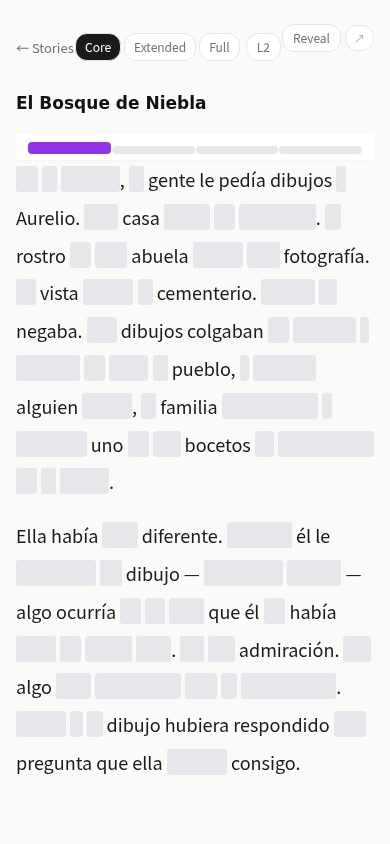
The Skeleton Reader opens at Core — only the words most likely to give you a shot at following the flow of the story are visible. Not a guarantee of comprehension, but a foothold. A place to start. Extended and Full let you dial up toward the density you can handle without losing the thread.

Skeleton reader in Core mode

Reveal

Many unknowns at once split your attention.

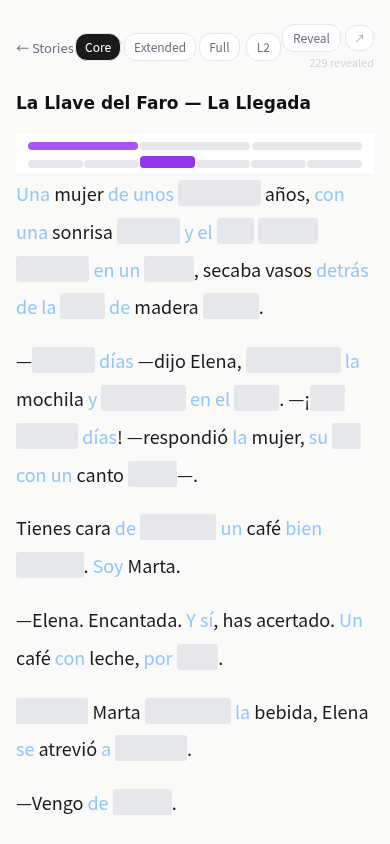
When multiple unknown or uncertain words are visible at the same time, each one pulls at you. You can't settle into understanding one because the others are competing for the same attention. It's cognitive multitasking — and it gets in the way of reading.

Reveal gives you control over what enters your field of attention. Tap a hidden word to bring it in when you're ready for it. Tap again to hide it if it isn't fitting your understanding of the text yet. You decide what to add and what to set aside — gradually, on your own terms.

Reader with some words revealed

Woven

You don't have enough context to follow the narrative.

When too much of the story is unclear, you lose the thread — not because of one word, but because the broader meaning of what's happening slips away. Parallel texts are one solution, but they come with a cost: your attention is split between two streams, and you never have full focus on the story.

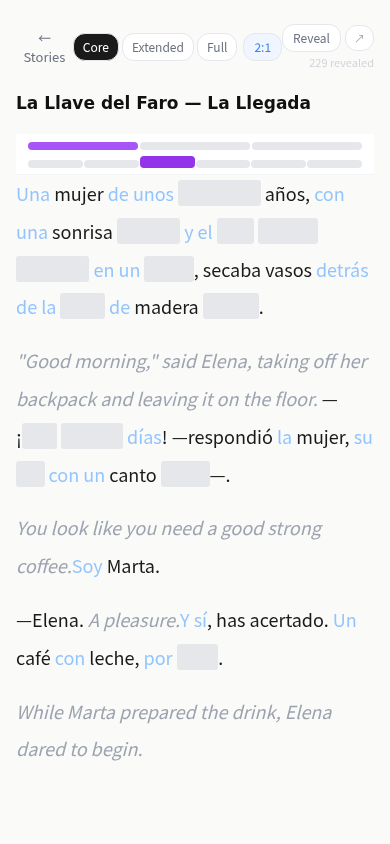
Woven alternates target language and English sentences in the same reading flow. The English sentences give you story context from within the text itself — boosting your overall understanding of what's happening, and making the target language sentences around them easier to work through. You're still in the language. You don't lose the flow of the narrative. You just have more to go on.

Woven mode alternating Spanish and English

See how it feels.

Launch App